
FB Hub
The searchable knowledge layer of the FB Server: documents, cards, projects, themes, sites, crew and the practical tools used to move through a day.
- 251 indexed
- 5 tabs
- 5-minute rebuild
- this machine only
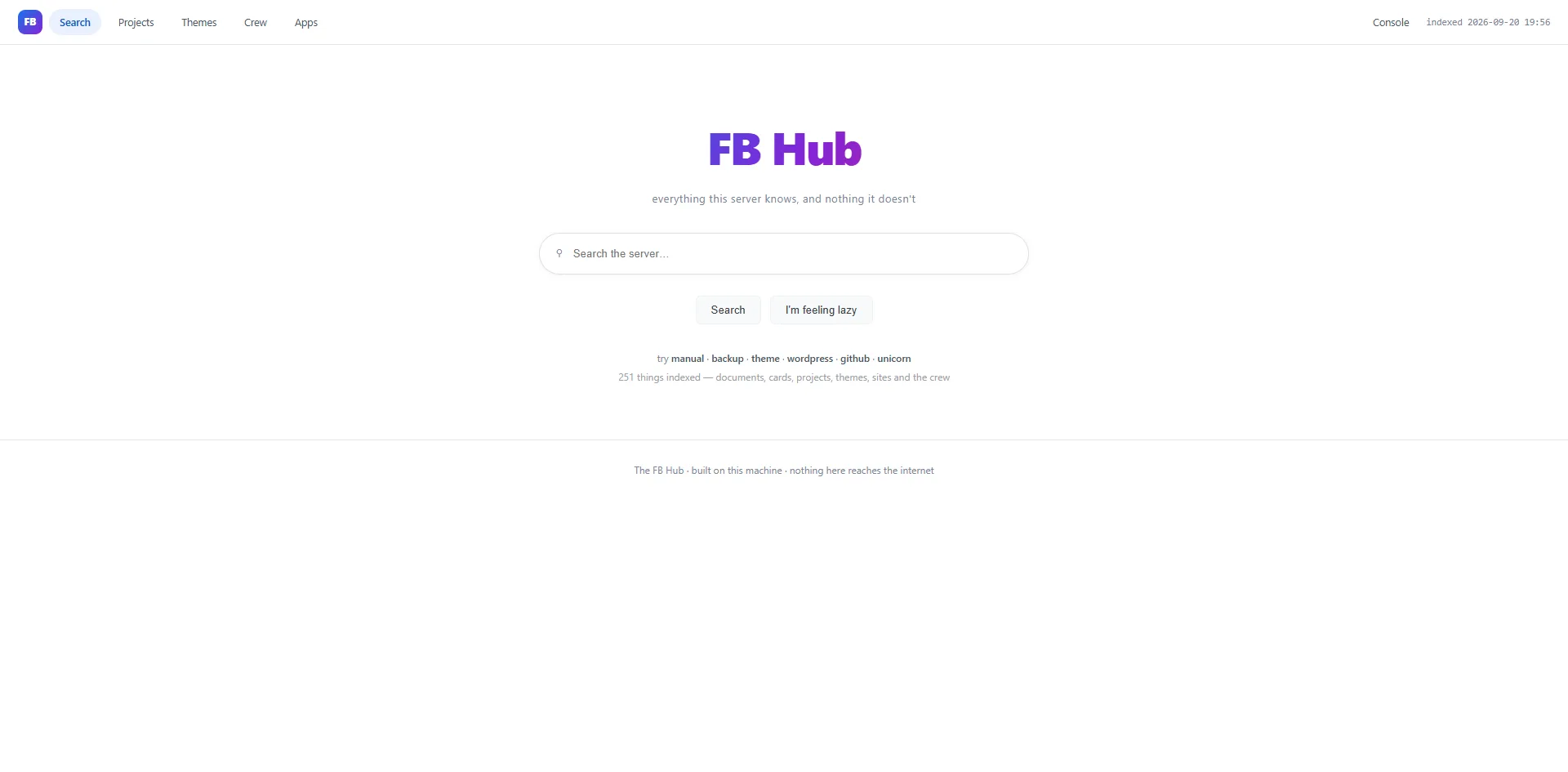
A familiar search shape, with a very strict boundary
One search box over the server’s own written knowledge: documents, board cards, projects, the design library, sites and the crew. It does not reach the web and calls no outside service.
It can find what the server has written down — and it will not invent what the server does not know.
251
items indexed when this catalog was written
5 tabs
Search · Projects · Themes · Crew · Apps
Local
this machine only; nothing touches the internet
Literal
word matching, not semantic understanding
Index once. Search instantly.
An indexer walks recognised parts of the machine, a timer rebuilds the index every five minutes, and a browser page searches the prepared file. The page itself holds no machine powers.
01 · Source
Cards, documents, themes, agents, projects and sites already written on this machine.
02 · Indexer
Reads known locations and writes title, snippet, owner and modified time into one prepared list.
03 · Timer
Every 5 minutes — keeps the list close to current without scanning the machine on each query.
04 · Page
Browser-side search over the prepared list. Fast because nothing is scanned while you wait.
Invisible race bug, fixed. The indexer used one fixed temporary filename, so a manual rebuild and the timer could collide. Temporary files now carry the process number. The lesson: overlapping background work needs its own working space.
Six kinds of thing — empty categories left visible
133
Cards
open + finished
90
Documents
manuals, rules, notes
17
Themes
complete starter sites
8
Agents
the core crew
3
Projects
lead + team + finish test
0
Sites
category exists, none built yet
What the count is telling you. As more work is written down, more becomes findable — and what keeps coming back empty is a signal too. Zero sites is information: the library is ready before a real site has been made from it.
The quiet safety layer
While reading each item, the indexer looks for material that should trigger a review before anything leaves the machine. A flagged result stays fully visible to the owner; the warning travels with it.
Network address
Looks for address patterns, excluding harmless examples and loopback addresses.
Hardware address
Marks unique network identifiers that could identify a device.
Secret-associated words
Marks words like key or passphrase. A match is not a claim that a secret was found.
A warning is the start of a decision, not the end of one. The scan prefers a false positive over silently missing something that should not be published.
Type the words the machine would use
Literal word matching, scored in the browser. A title match weighs more than a match elsewhere; results are listed best first with the matching words highlighted.
5 points
a word in the title
2 points
a word anywhere else
> 0
anything above zero can appear
When nothing matches the page says so plainly and offers the command for creating a card. It does not create the card itself — a card needs an owner.
“I’m feeling lazy” picks one of five interesting search words at random. A shortcut, not a tour.
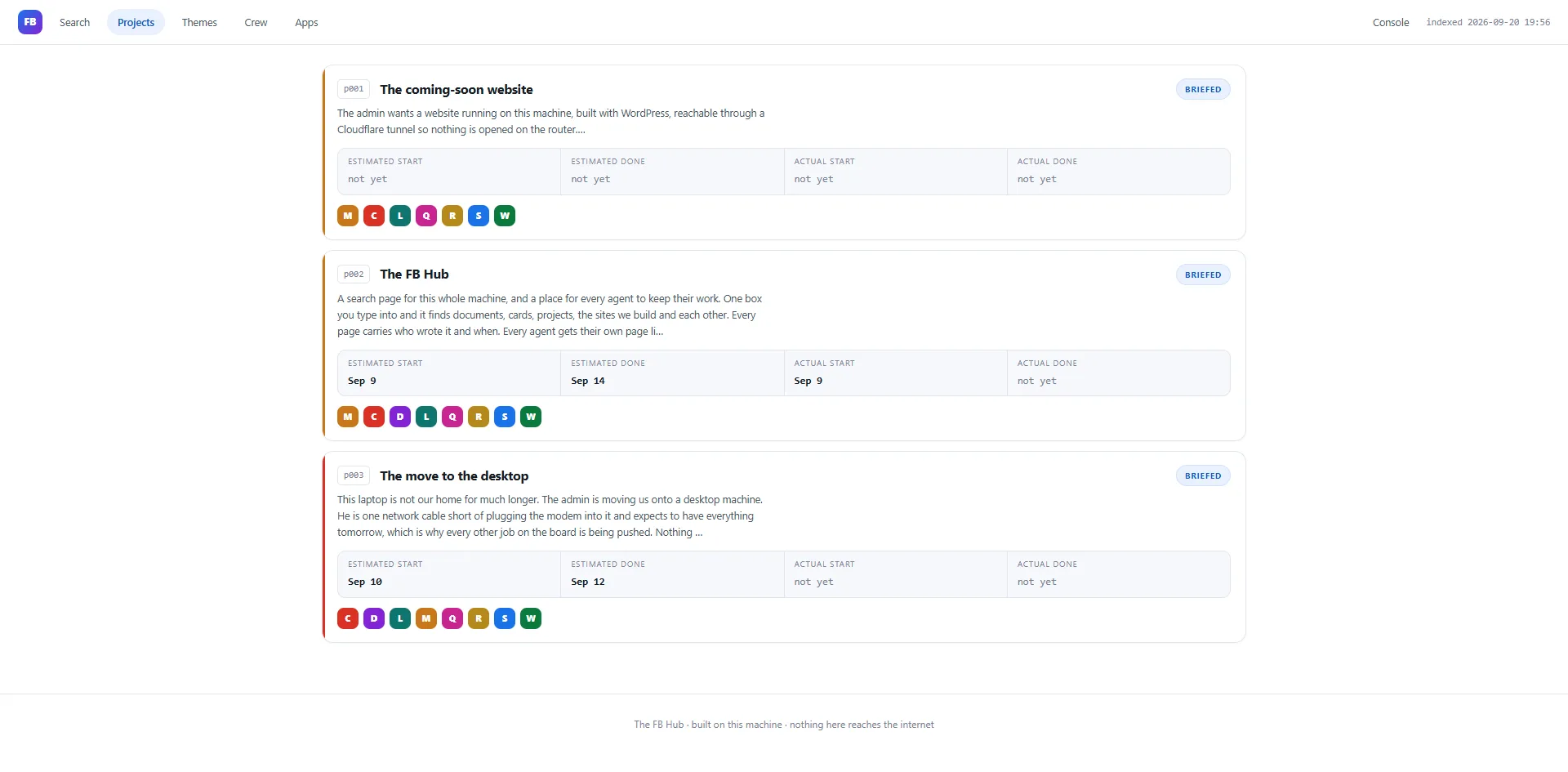
Work with a written finish
Each project shows what it is for, who leads it, who is on the team and four dates side by side — estimated start and done beside actual start and done.
- Overview — purpose and written finish test
- Team & tasks — each member's real state and self-written tasks
- Notes — a running log
- Brief — asks the crew where they are and speaks the answers
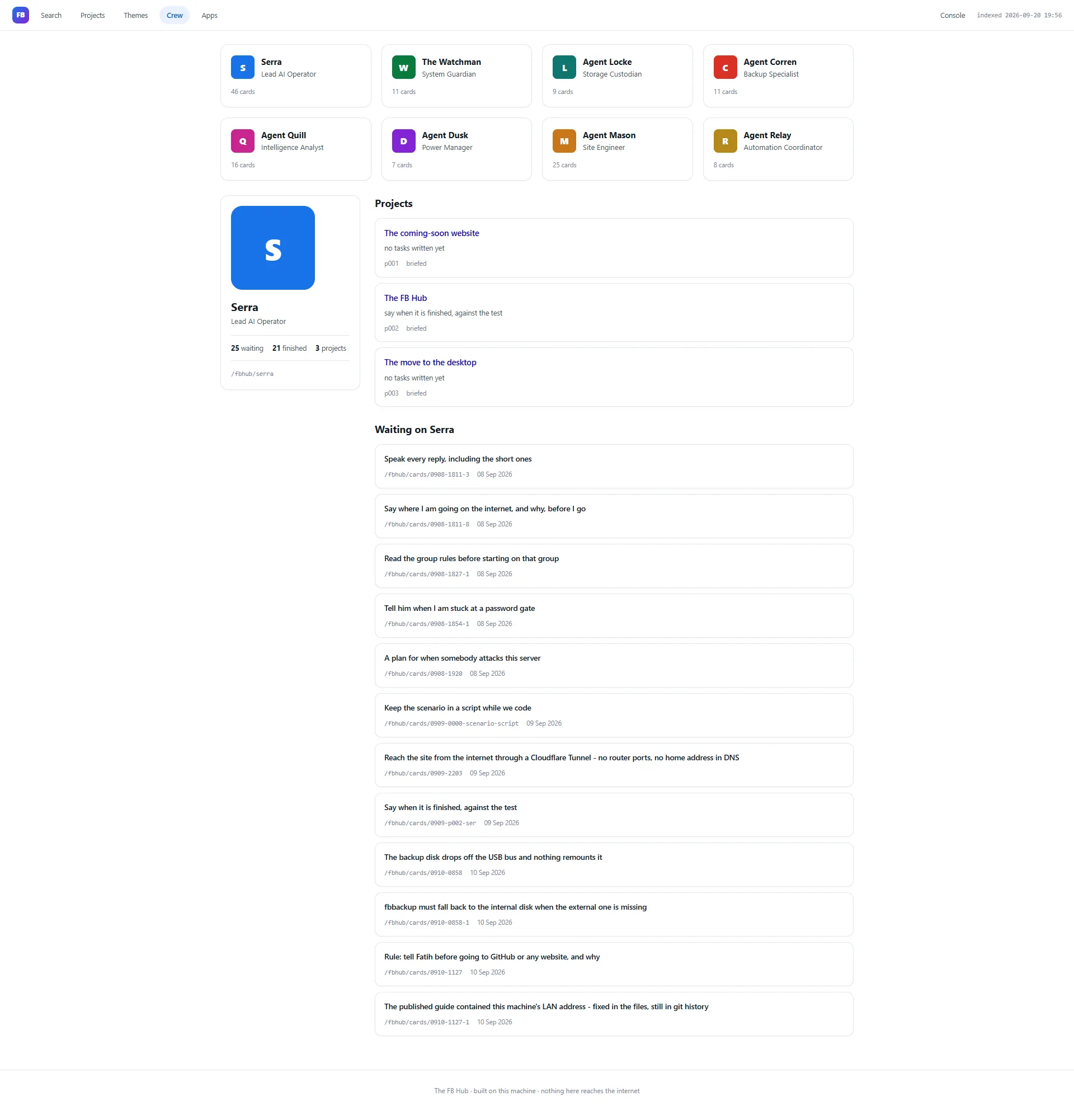
The person is a view over the work
The crew page is assembled from the board when the index is built. Nobody maintains a second copy of what each agent owns — so there is no second crew database to drift.
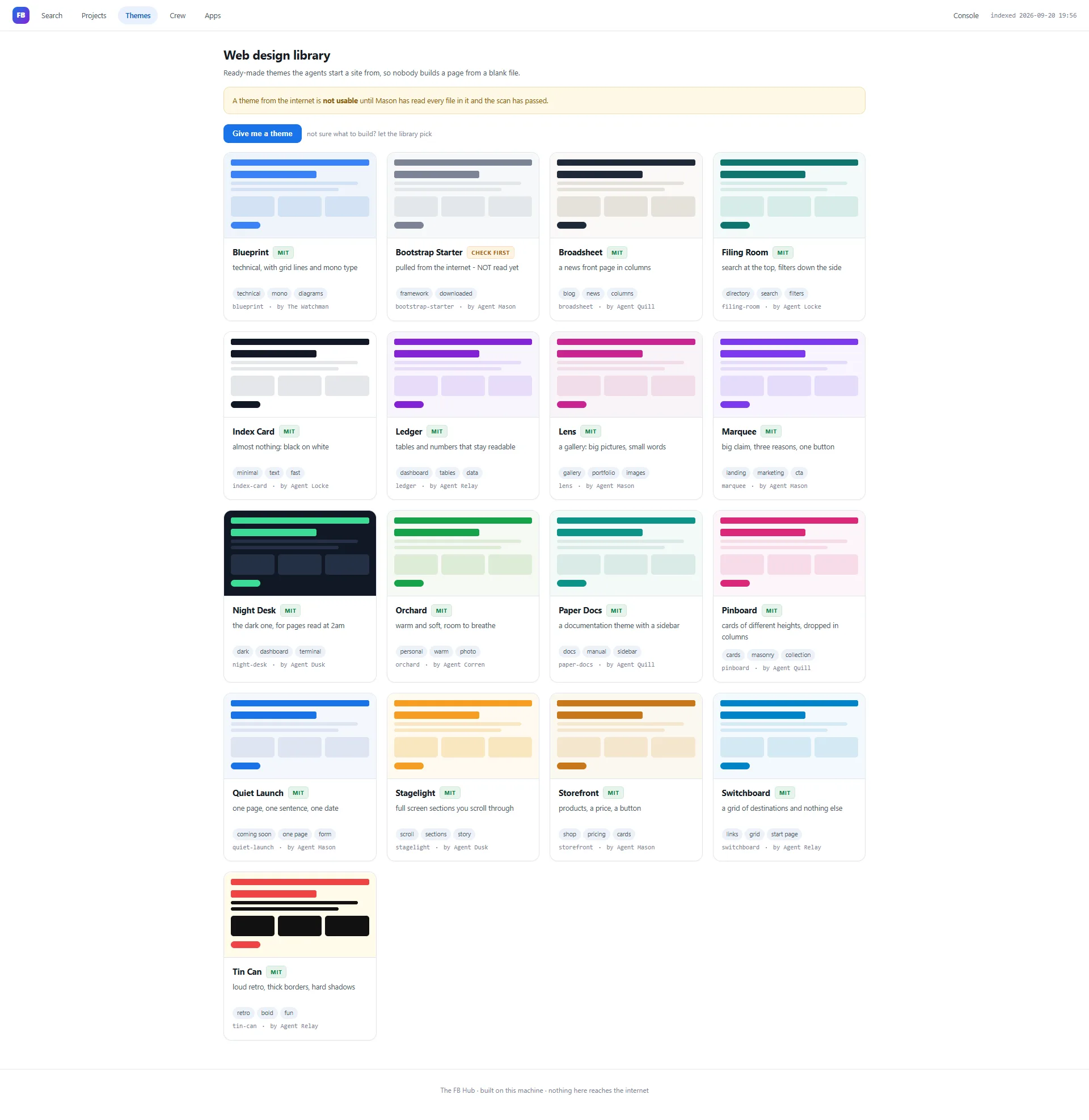
A clean starting point for every site
17 ready-made designs. Each theme is a small complete HTML/CSS website written on this machine; the tile shows a miniature, its licence, one-line purpose and tags.
Copy, don’t edit the library.fbhub theme get <theme> --for <agent> --site <name>
copies the theme into the agent’s own site folder, so the shared library stays clean.
Check first means refusal. A theme from outside the machine is unusable until every file has been read and the scan has passed. Being in the library is not the same as being approved.
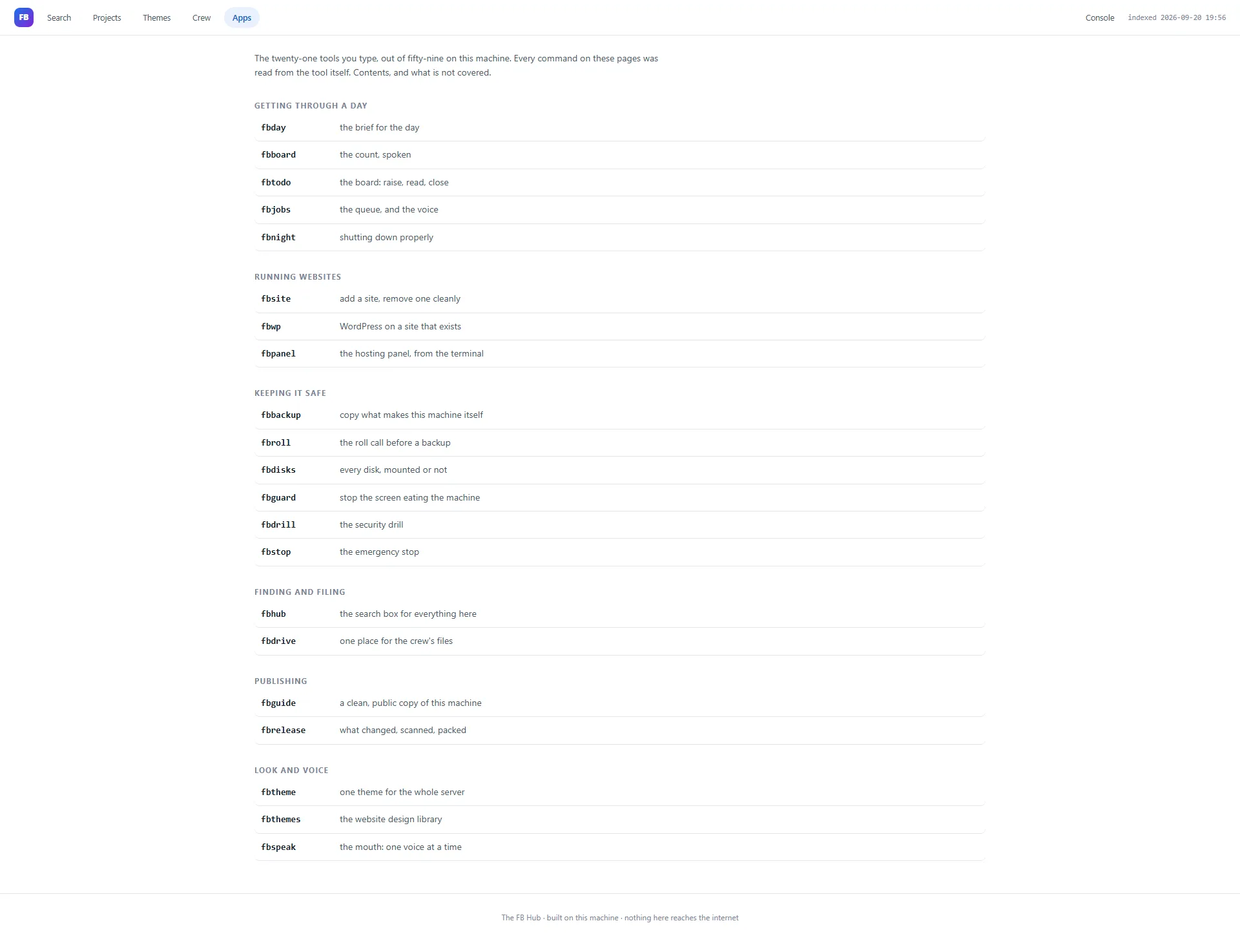
The commands a person actually types
Grouped by what you are trying to do, not by alphabet.
- Getting through a day — fbday · fbboard · fbtodo · fbjobs · fbnight
- Running websites — fbsite · fbwp · fbpanel
- Keeping it safe — fbbackup · fbroll · fbdisks · fbguard · fbdrill · fbstop
- Finding and filing — fbhub · fbdrive
- Publishing — fbguide · fbrelease
- Look and voice — fbtheme · fbthemes · fbspeak
Why the list stays honest: every description is read from the tool’s own help text. 21 of 59 tools are documented; the missing 38 are recorded as work, not hidden.
Record something without making the page powerful
The Notes tab is the Hub’s small controlled exception to a mostly read-only design. The web page cannot write to shared work areas itself — it asks, and the server decides.
1 · You enter a note
Project, crew author and a short text.
2 · Server validates
Known project, known author, under 2,000 characters, no control characters.
3 · One line appended
Written in the server's own safe location.
What was not done: the shared area was not made globally writable for convenience. A useful interface does not need broad power when the privileged boundary is narrow and explicit.

Fast enough to become habit
- / · Search — jump to the search box from anywhere, unless you are already typing.
- Escape · one step back — closes an overlay first, otherwise returns to where you came from, remembering up to forty steps. On search home it deliberately does nothing.
A predictable back key matters because people stop using navigation they do not trust.
The Hub says where its edge is
Words, not meaning
Synonyms do not find each other automatically.
Snippets, not full files
The index holds an opening extract to stay fast.
Up to 5 minutes behind
New material waits for the next rebuild.
One machine only
It knows nothing outside the server, by design.
Four screens, one server
01 · Crew Dashboard
Live machine state
02 · FB Panel
Hosting control panel
03 · FB Pipeline
Narrow read-only doors
04 · FB Hub
Knowledge & operations index
“Everything this server knows, and nothing it doesn't.”
A local search and organisation layer that makes the server’s written knowledge easy to find, keeps ownership visible, marks material that needs review before publication, and admits when the answer is not there.
← FB Pipeline
Catalog 03
All dashboards →
Back to the catalog index
