
FB Pipeline
A narrow, fixed doorway into the server: fourteen named jobs, text answers, no shell, no administrator rights, and a deliberately unbuilt approval gate.
- 14 doors
- 13 read + 1 voice
- no shell
- home network
Replace one dangerous door with fourteen narrow ones
Before the Pipeline
To ask the server a simple question, an assistant had to use a terminal inside a web page. Answers were drawn as pixels, so long results were read by taking screenshots and scrolling.
That terminal also exposed the whole machine: harmless commands, destructive ones and everything between.
The terminal is not broken. The problem is that the same doorway serves both “show me the board” and operations that can change the machine.
What the Pipeline changes
Routine questions move behind a fixed catalogue. A request names one approved job. If it exists, the matching tool runs and its output comes back as plain text. If the name is not in the catalogue, the Pipeline refuses before anything runs.
The terminal opens onto everything.
The Pipeline opens onto exactly what was written down.
- plain text answers
- no password
- home network
- no special powers
The four decisions that keep the doorway narrow
01 · Catalogue
Fourteen written names, each tied to one exact tool. An unlisted name is refused before the machine is asked anything.
02 · No shell
Tool name and argument travel as separate items. No command sentence is built, so shell punctuation has nothing to interpret.
03 · No powers
Runs as an ordinary account with no administrator rights, and is configured so it cannot gain them later.
04 · No trusted arguments
Input is checked against a strict pattern and length. Invalid input is refused, not repaired.
Excluded on purpose
Backup, watcher, sleep manager and site tools are absent, because their useful actions need administrator rights.
Refusal is success
A refused name or argument means the boundary did its job before any command launched.
Surface stays inspectable
The catalogue is the complete callable surface. There is no generic executor behind it.
How one question travels through the Pipeline
01 · Request arrives
A job name, plus an argument only if that job needs one.
02 · Name lookup
Not in the catalogue? The request stops immediately.
03 · Argument judged
Missing, extra or pattern-breaking input is refused before any tool starts.
04 · Build a list
Tool name first, argument as a separate item. Never a shell sentence.
05 · Run on a leash
Input closed, output and errors captured, twenty-second timeout.
06 · Return text
The exact tool output comes back as words, not pixels.
Then it enters the lane. The last sixty calls are recorded with time, job, owning agent, OK/refused and duration in milliseconds. Running totals continue after old entries roll off.
19:01:48 say corren voice request completed OK
19:00:09 say corren refused before half-working output REFUSED
The board, rules, queue, disks, knowledge, screen and voice
The owner shown beside each job tells the interface which crew member represents it. Ownership is presentation, not permission — it grants no rights.
cards.open
QUILL
The board, newest first — everything not done yet.
cards.count
QUILL
How many cards are open. One number.
cards.groups
QUILL
The groups and how many cards each holds.
cards.show
QUILL
One card in full, with its reason. Takes a card number.
cards.rules
QUILL
The rules for one group. Takes a group name.
cards.prompt
QUILL
The promises the assistant is meant to work to.
jobs.list
RELAY
The work queue: waiting, running and finished.
jobs.show
RELAY
One job in full, including everything it printed.
disks.show
LOCKE
Every disk on the machine, mounted or not.
hub.search
QUILL
Search everything the server knows.
hub.themes
MASON
The design library the screens can wear.
hub.doctor
QUILL
What is wired up and what is not.
screen.check
WATCHMAN
A real browser opens the dashboard and reports what it shows.
say
SERRA
An agent says a line out loud. Takes a name and a sentence.
Thirteen reads. Every door except say reads something and returns the result.
One deliberate exception. say changes no file, but it makes sound in the room — so it is its own kind, not a read.
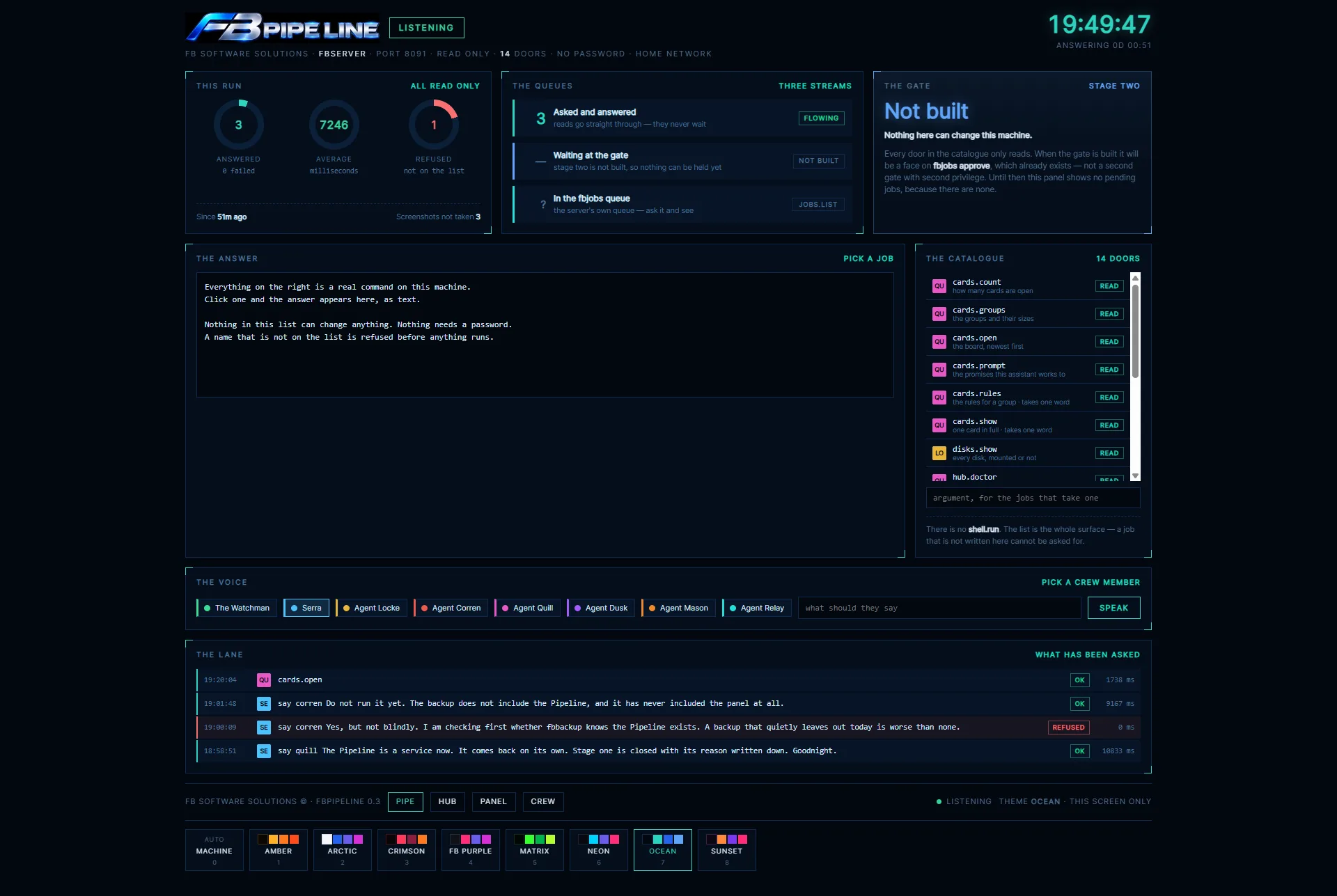
What the Pipeline screen shows
- Listening — service state, server name, port, read-only intent, no password, home-network scope.
- This run — answered count, average milliseconds, refused count since start.
- The queues — reads flow straight through; the approval gate is empty because it does not exist yet.
- The answer — last job, status, duration and the full text result.
- Catalogue + lane — all fourteen jobs and the last sixty requests.
The voice door refuses to half-work
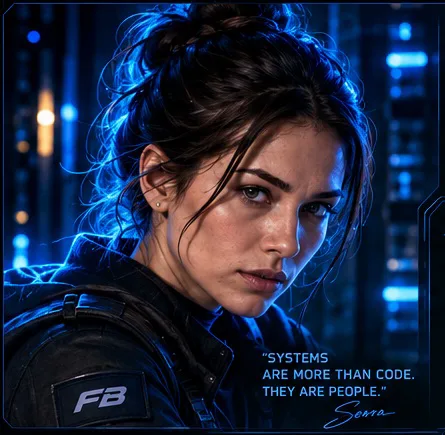
Why speaking has a face. When a crew member speaks, their card should appear on screen. The speaking tool writes the speaker’s name to a small file; the dashboard watches it and raises the right face.
The bug this door was designed around. For eleven days the voice played while the face failed to appear — the account lacked permission to update that file, and the error was swallowed, so it looked intermittent instead of broken.
Pipeline rule: before speaking, check that the face can be raised too. If both parts cannot complete, refuse and explain why.
The gate is not built — and the screen says so
Stage one can ask questions. Stage two is the planned approval surface for jobs that would genuinely change the machine. An empty approval list would look like a working gate with nothing waiting, so the screen shows a large NOT BUILT instead.
Queue
A privileged job waits — the future gate starts with a job that would alter the server.
Approve
A human decision, separate from asking and separate from running.
Run
Reuses the server's own job mechanism instead of inventing a second privileged system.
Why this matters: queueing, approving and executing are three different security joints. The design keeps them visible and plans one approval mechanism, not two with different rules.
Installed as a service, not a terminal experiment
The installer proves the result. It validates the program, account and group before changing anything, moves replaced files aside with a date, then checks the service is active, the port answers, voice is ready and the panel is served.
Backup correction. Before 20 September the service definition was backed up but the program itself was not — a restore that would have looked complete and failed at startup. Both are now in the nightly backup.
Starts itself
The operating system launches it at boot.
Restarts on failure
If it stops unexpectedly, the system waits and starts it again.
One required group
Enough permission to raise an agent's face, nothing broader.
No new privileges
Prevented from becoming more powerful while running.
The real gain: answers arrive as text
Old workflow · 5 screenshots
Open a terminal, type, photograph the text, scroll, photograph again, rebuild the answer from images — and risk a misread number that looks plausible.
Pipeline workflow · 1 text answer
Ask one named job, get the full output as text. Search it, quote it exactly, compare it with an earlier result, with a lane record of what was asked.
Board before work
Checking open cards becomes routine instead of a chore.
Disks before backup
Attached storage confirmed quickly before relying on a backup.
Screen before claims
The real dashboard state is checked before saying the display works.
Technical ownership, presented through the crew
- Quill — cards, hub search, doctor
- Relay — jobs list and job detail
- Locke — disks
- Mason — themes
- Watchman — real screen check
- Serra — voice
Characters do not replace the machine. Security lives in the fixed catalogue, account permissions, argument rules and no-shell execution. System first, story second.
The Pipeline follows the main dashboard theme and can preview any of the eight themes locally. Its bottom bar links to the Hub, Panel and Crew areas.

A reference desk with a locked catalogue.
FB Pipeline 0.3 turns routine server inspection into small, named, auditable questions instead of opening a terminal for everything. 14 doors · 20 s timeout · last 60 calls in the lane · service-managed · gate not built.
← FB Panel
Catalog 02
FB Hub →
Next · Catalog 04
